How to resume an interrupted or failed download on Android
A large download that dies at 90% and starts again from zero is the most common complaint about downloading on a phone. Whether it can carry on depends on two things: the server, and the app doing the downloading.
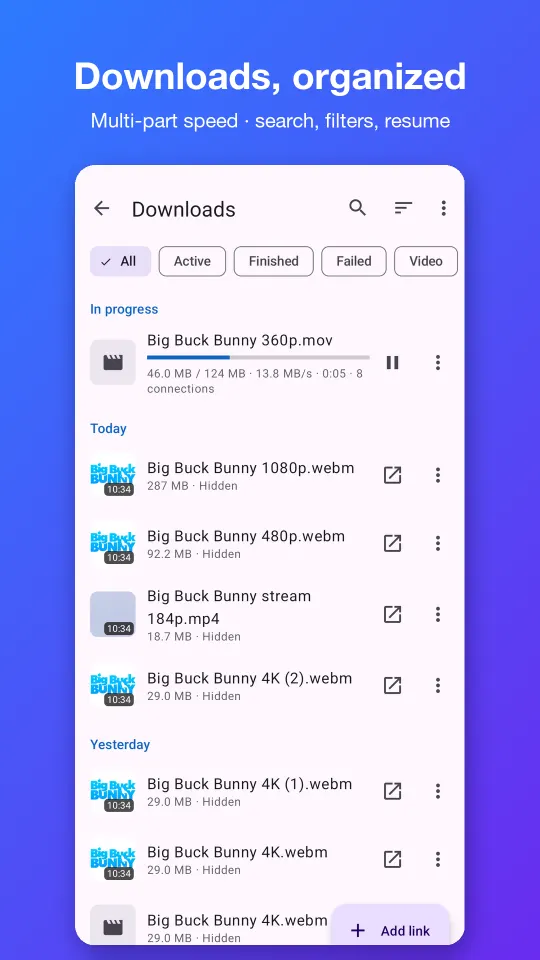
In AuronDM a download that loses its connection waits and carries on from where it stopped, by itself or when you tap Resume. If the link itself has expired, tap Refresh link to give the same file a new link and keep what's already downloaded.
Why downloads restart from the beginning
To carry on, the app asks the server for "the file from byte 734,003,200 onwards". Most servers accept that request. But the app has to keep the part it already has, remember exactly where it stopped, and check that the file on the server hasn't changed. Many browsers drop the partial file after an error, so all that is left is to start again.
What stops a download, and what to do
| What happened | What AuronDM does | What you do |
|---|---|---|
| Wi-Fi or mobile signal dropped | Keeps the downloaded part and waits | Nothing. It carries on when you're back online, or tap Resume all |
| You left Wi-Fi with Download over Wi-Fi only on | Shows Waiting for Wi-Fi | Reconnect, or tap Use mobile data to download now |
| The phone restarted, or Android closed the app | Keeps every partial file | Open AuronDM. Unfinished downloads carry on by themselves |
| The site says "link expired" or "access denied" | Marks the download as failed, keeps the part | Use Refresh link (below) |
| The site limits how much you download | Pauses until the time the site gives | Tap Resume after that time |
Carry on after the link has expired
Many sites create a download link that works for a few minutes or hours. Once it expires the old link is useless, but the file behind it is the same. A new link can take over:
- In Downloads, tap the failed download and choose Refresh link.
- Tap Open page. The page the file came from opens in the browser.
- Play the video or start the download again, so the site makes a new link.
- In the list of found videos, tap ⋮ and then Use as new link. Or copy the new link yourself and paste it in.
AuronDM checks that the new link gives the same file, by its size and version. If it does, the download goes on from where it stopped. If it's a different file, you're told so and nothing is overwritten.
When a download really can't be resumed
Some servers refuse requests for part of a file. With those, every downloader has to start again, and AuronDM says so instead of pretending. A file that changed on the server between attempts can't be joined to the old part either, because the two halves wouldn't match.
Three habits that help
- Leave Download over Wi-Fi only on for large files, so a download doesn't quietly move to mobile data.
- Keep Resume unfinished downloads when the app opens on in Settings. Downloads you paused yourself stay paused.
- Check a file that matters. If the site publishes an MD5 or SHA-256 checksum, paste it into the download's checksum check to confirm the file is complete.
Try it on your phone
AuronDM is a browser with an ad blocker and a download manager, for Android 10 and later. No account needed.
Get it onGoogle PlayResponsible use. Only download content you own or have permission to download. Sites whose terms forbid downloading are not supported, and DRM-protected or live streams can't be saved.
More guides
- Save an HLS (M3U8) stream as one MP4Why a stream is hundreds of small parts, and how to get one file that plays offline.
- Download large files fasterWhat multi-connection downloading does, and when it helps.
- Block ads and pop-up redirectsHow ad blocking in a browser works, and how to allow the sites that need ads.
- Download multiple links at oncePaste up to 30 links, or send them from another app, and let the queue do the rest.